
Features
Everything a clinic needs, in one system.
Seven parts that work together: what reception enters reaches the chair, what is treated reaches the invoice, and what is paid reaches the report.
Reception and appointments
The day starts with the appointment.
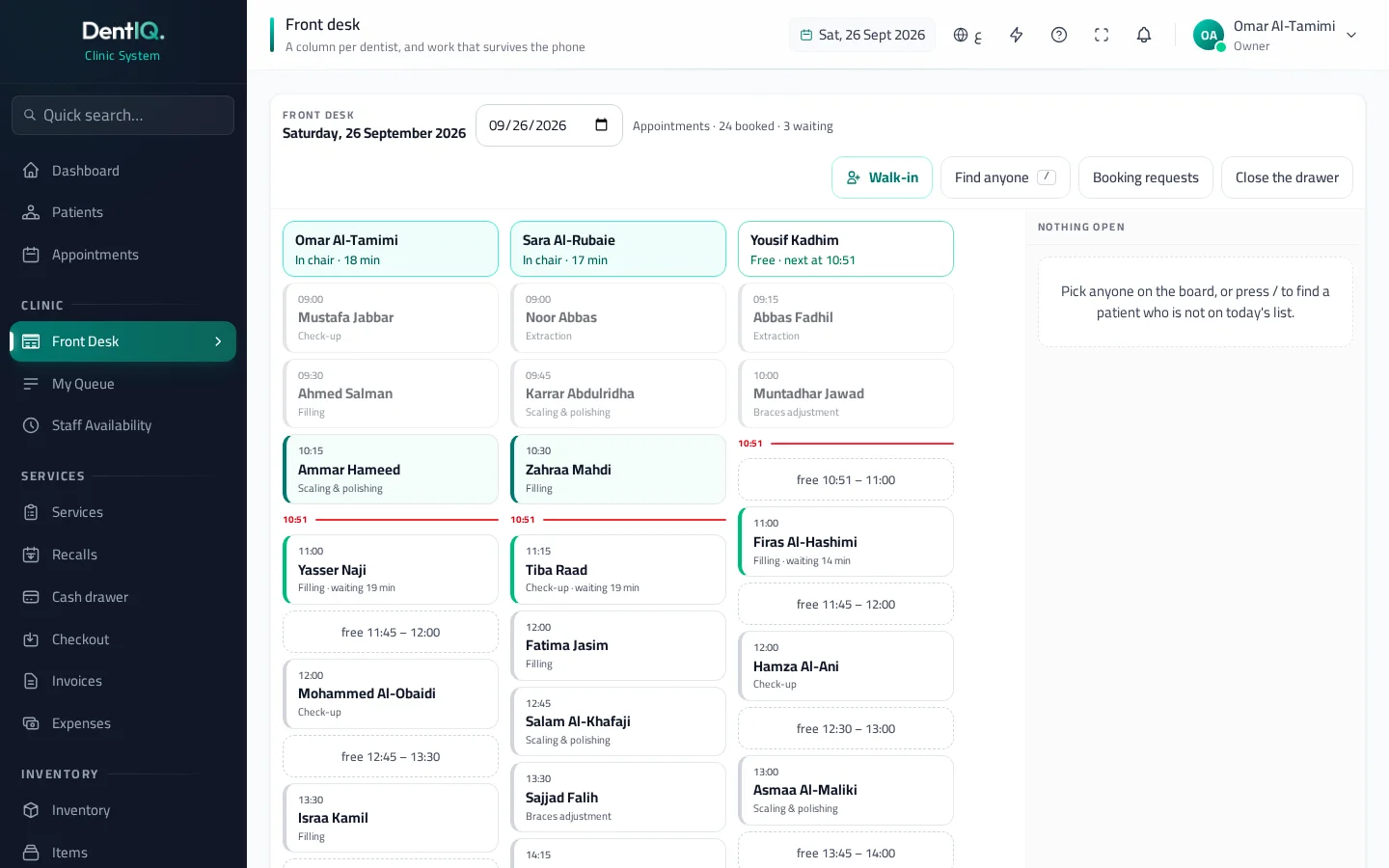
A schedule for every doctor, and a board that knows who has arrived, who is waiting and who is in the chair.
A calendar per doctor
Day and week views, for all doctors or one, in every branch.
One doctor, one slot
The system refuses a second appointment for the same doctor in a taken slot, and tells you why.
It knows the doctor's hours
It will not take a booking outside working hours, during a doctor's leave or on a day the clinic is closed.
Front desk board
A column per doctor: who is in the chair, who is waiting, who is running late. It updates live in front of your team.
Walk-ins
Registered and put in the queue in one step.
Online booking
The patient requests a time from your clinic's page, and your front desk confirms it.
In the chair
Everything the dentist needs, in front of them.
Tooth chart, treatment plan, X-rays and prescription: one file for the patient.
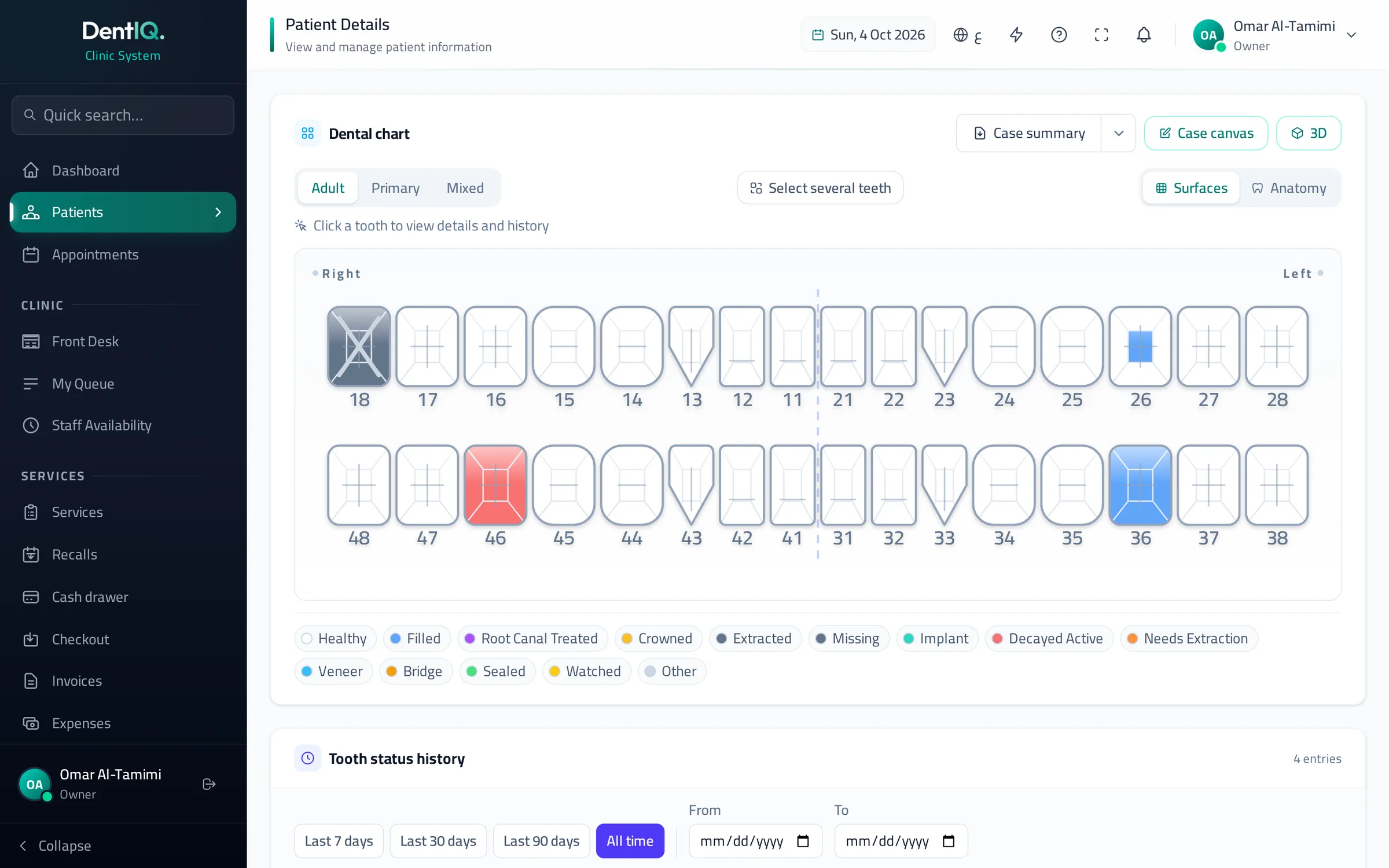
Tooth chart
Adult, primary and mixed dentition in FDI notation, with a status for the tooth and for each of its five surfaces.
A history for every tooth
Each change is recorded with who made it and when, and it stays on the record.
Treatment plans in phases
Services, prices and phases the patient agrees to, followed session by session until they are done.
Prescriptions
Written from the patient's file and printed in Arabic or English.
X-rays and photos
Kept in the patient's file and under the tooth number, with before-and-after comparison.
Draw on the image
Sketch on the tooth chart or on an X-ray, and save the drawing to the file.
3D viewer
A model of the teeth that helps you explain the case to the patient.
Allergies in view
The patient's allergies and medical conditions show where you treat and where you prescribe.
Money
What was treated is what gets billed.
From the invoice to net profit, in Iraqi dinars.
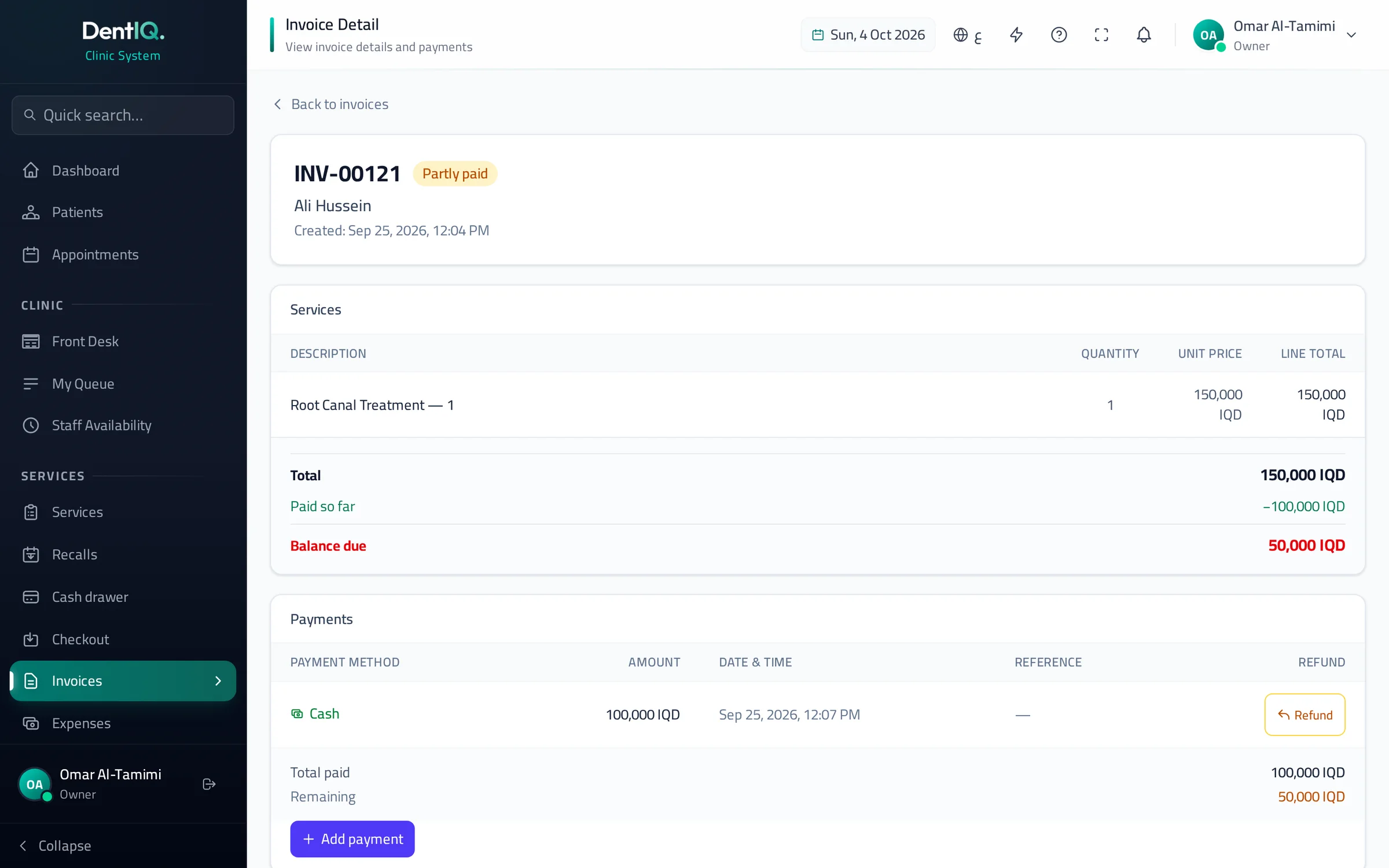
Invoices in Iraqi dinars
Tied to the work actually done, and printed as a receipt for the patient.
Part payments
The patient pays part, and the system always knows what is still owed.
The source of every payment
Cash, card, ZainCash, FIB or Rafidain: you record it when you take the money.
Card installments
The patient pays in installments on the card machine, and you follow what has reached your account and what is left, month by month.
Cash drawer
Opened with a float and closed against a count, with the difference in plain sight.
Expenses
Recorded by type and counted in profit and loss.
Profit and loss
Income, expenses and net profit, per branch or for the whole clinic.
Supplier balances
What you have paid and what you still owe each supplier.
Stock
Treat a tooth, the shelf updates.
Materials are tied to services, so stock does not need a hand count after every patient.
Materials per service
Each service has its usual materials, suggested at treatment and adjusted by the dentist.
Deducted when the visit ends
Used and damaged materials come off the stock when the visit is finished.
Low stock and expiry
What is running out or close to its expiry date shows up before it surprises you.
Follow-up
The clinic remembers unfinished work.
Lists your team works from: who is due back, who to call, and what is not finished.
Recalls
A list of patients who are due to come back to the clinic.
Who is worth a call
When a slot opens in the schedule, the system suggests patients with sessions still to go.
Unfinished treatments
A report of open cases and the sessions left for each patient.
Running the clinic
Each member of staff sees what they need.
From one doctor to several branches, on the same system.
Roles and permissions
Owner, dentist, secretary, cashier: each role has what it can see and do, and you can change it as you wish.
Doctors and branches
Add doctors and branches to the same account as the clinic grows.
Reports
Income, services, patients and stock, with Excel and CSV export.
Dashboard
Today's appointments and who is in the clinic now, at first glance.
Daily comfort
Small things, every day.
What lets a team learn the system quickly and work in it comfortably.
Arabic and English
Interface and printouts in both languages; switch between them with one press.
Search that reads Arabic
Type احمد and it finds أحمد, by name or by phone number.
Guided tours
Every screen explains itself to someone opening it for the first time.
Help inside the system
Answers to how-to questions, right where you are.
Patient import
Your existing patients come in from an Excel file.
Merging duplicates
It finds files that look like the same patient and merges them.
Try a sample clinic yourself.
Message us and we send you a demo account within 24 hours.
Message us on WhatsApp0776 921 1110